Signals
Profit + risk
Watchlist rows surface profitability and risk rather than only current price.
Feature
Keep interesting cards under review until the grading decision changes.
EV
Expected value before grading.
ROI
Profit after all costs.
Risk
Grade downside made visible.
Product preview
Static app snapshotBased on the real Watchlist page: tracked cards, market signals, risk labels and fast actions.
Kardive app
Pokémon Card Watchlist
Illustrative, non-interactive preview
The screen below is a static snapshot based on the real Kardive app. Buttons and controls are intentionally inactive on this marketing page.
Cards to revisit before grading.

Umbreon VMAX
Evolving Skies #215

Charizard ex
Pokemon 151 #199
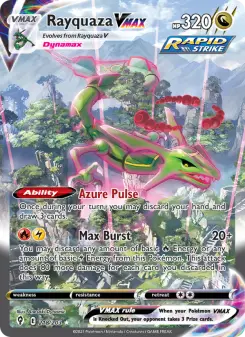
Rayquaza VMAX
Evolving Skies #218
Monitoring workflow
Watchlists are common in price apps, but Kardive uses watchlist signals to support grading decisions. Cards are tracked with profitability and risk labels so the user knows what deserves a fresh calculation.
Decision example
The card may have positive expected value while lower grades lose money, so watchlist keeps both labels visible.
Signals
Profit + risk
Watchlist rows surface profitability and risk rather than only current price.
Plan-aware
Free and Pro
Limits are enforced by Kardive access rules, including active canceled subscriptions.
Fast actions
ROI + alert
Watched cards can open calculator or alert creation directly.
Images
Card context
Rows include card images so tracked items remain scannable.
Why Kardive is different
| Decision area | Generic tracker | Spreadsheet | Kardive |
|---|---|---|---|
| Watch goal | Track price. | Manual reminders. | Know when a grading decision deserves review. |
| Signals | Price movement. | Manual formulas. | Profitability, risk and ROI handoff. |
| Action | Check later. | User remembers. | Calculate, alert, remove or export. |
Workflow
Use cases
Watch a card until raw price makes the ROI scenario more attractive.
Keep cards that are close to profitable in view without saving a full portfolio entry.
Create a threshold alert when a watched card needs an email trigger.
The watchlist is for cards that look interesting but are not ready for action yet. Users can revisit them when raw prices, graded prices or ROI signals change.
Watchlist labels come from market data and ROI-style calculations with user settings, not random static labels. The goal is to highlight cards that deserve attention.
Free users get a limited watchlist while Pro users can keep tracking without the limit card appearing during an active subscription period, including cancel-at-period-end states.
From each watched card, users can analyze ROI, create an alert, export where allowed or remove the card with a proper confirmation flow.
How the pieces connect
Kardive turns market data and user assumptions into a grading decision users can revisit and improve.
FAQ
Pokémon Card Watchlist helps users move from Pokémon card research to a concrete grading decision. Track cards before buying, grading or selling.
This page describes how the feature works in Kardive: card metadata, raw value, graded prices, user cost defaults, saved assumptions and plan-aware access where relevant.
A tracker usually answers what a card is worth, and a spreadsheet depends on manual formulas. Kardive connects the same context to grading-specific decisions: costs, grade outcomes, expected value, risk, saved workflows and plan-aware actions.
The feature either feeds the calculator, explains a calculator result, saves a calculator scenario or brings the user back when a card needs a fresh ROI check.
Free and Pro access depends on the workflow. The public site sends people to login, while Kardive checks limits and Pro features inside the app.
Keep researching
Ready to test your next grading decision?