Snapshots
Inputs + outputs
Scenarios persist both assumptions and calculated results.
Feature
Create variants without rebuilding the same calculation.
EV
Expected value before grading.
ROI
Profit after all costs.
Risk
Grade downside made visible.
Product preview
Static app snapshotBased on the real Saved Scenarios flow: table, detail editing, duplication and calculator handoff.
Kardive app
Quick Scenario Duplication
Illustrative, non-interactive preview
The screen below is a static snapshot based on the real Kardive app. Buttons and controls are intentionally inactive on this marketing page.

Umbreon VMAX PSA review
Evolving Skies #215
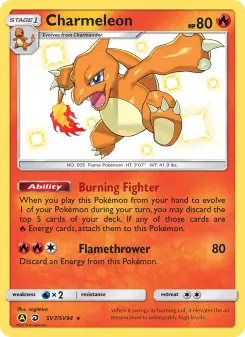
Charmeleon Hidden Fates
SV7/SV94
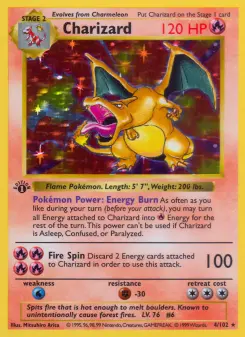
Base Set Charizard copy
Base Set #4
Auto-save after editing assumptions.
Repeatable research
Saved scenarios make Kardive more than a one-off calculator. Users can keep the exact card, assumptions, result snapshot, risk, verdict and notes, then edit or duplicate the decision when costs or prices change.
Decision example
A collector may save a conservative distribution and a best-case distribution to compare risk before submitting.
Snapshots
Inputs + outputs
Scenarios persist both assumptions and calculated results.
Auto-save
Edit detail
Scenario detail can save changes while Kardive recalculates the result.
Duplication
Fast variants
Users can test a new fee model or grade distribution without losing the original.
Spreadsheet
Exportable
Single and bulk scenario exports support external review.
Why Kardive is different
| Decision area | Generic tracker | Spreadsheet | Kardive |
|---|---|---|---|
| Saved work | Watchlist or favorites. | Rows and formulas. | Decision records with calculator snapshots. |
| Iteration | Repeat manually. | Copy row. | Duplicate scenario and recalculate. |
| Security | Platform-specific. | Local file. | Authenticated ownership checks. |
Workflow
Use cases
Save one scenario per candidate card and revisit the shortlist later.
Duplicate a scenario to compare two grading services or selling fee assumptions.
Review existing scenarios even when a Free account cannot create new calculations.
Scenario duplication copies the card, inputs, grade mode and result context into a new owned scenario while respecting plan limits and ownership checks.
Users can duplicate a calculation to test another grading company, fee model, purchase price or probability distribution while preserving the original decision.
Quick duplication also supports handoffs from card detail and watchlist into the calculator, so the user does not rebuild the card context manually.
This matters most for active users who research many cards and need fast iteration, not just one-off calculations.
How the pieces connect
Kardive turns market data and user assumptions into a grading decision users can revisit and improve.
FAQ
Quick Scenario Duplication helps users move from Pokémon card research to a concrete grading decision. Start a fresh calculation from an existing scenario, card detail page or watchlist item without rebuilding the inputs manually.
This page describes how the feature works in Kardive: card metadata, raw value, graded prices, user cost defaults, saved assumptions and plan-aware access where relevant.
A tracker usually answers what a card is worth, and a spreadsheet depends on manual formulas. Kardive connects the same context to grading-specific decisions: costs, grade outcomes, expected value, risk, saved workflows and plan-aware actions.
The feature either feeds the calculator, explains a calculator result, saves a calculator scenario or brings the user back when a card needs a fresh ROI check.
Free and Pro access depends on the workflow. The public site sends people to login, while Kardive checks limits and Pro features inside the app.
Keep researching
Ready to test your next grading decision?